Simplebingo
Player guide: join and use your card
Join Simplebingo through an invitation link or QR code, mark your card, check bingo claims and return using the same browser.
These screenshots show the app with sample data. Names, numbers and invitations are examples; layout varies by device.
Open the host's invitation
Open the invitation URL or scan the QR code supplied by the host. Check the game information, choose a name and avatar, and join. The new-game button on the home page is for creating a separate game; players should use their invitation.
Your display name is visible to other people in the game. Do not put private information such as a phone number or email address in your name or messages.
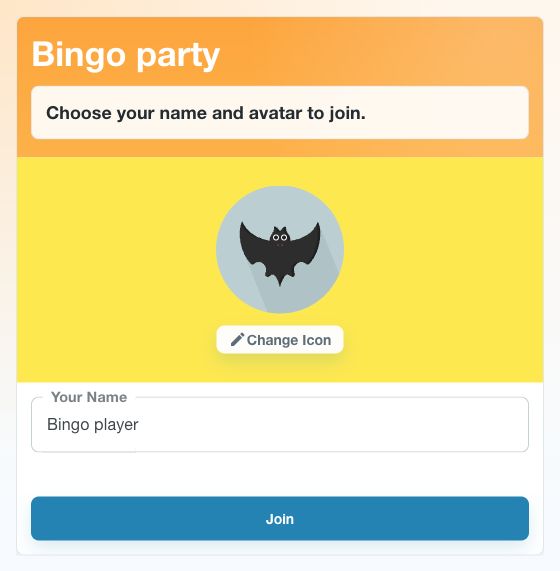
- Open the host’s URL or QR code and check the game title.
- Enter your display name. Select the avatar to choose another icon.
- Select Join to open your card. The host controls the draw.
Mark the numbers on your card
Numbers appear as the host draws them. If a drawn number is on your card, tap that square to mark it. The center square is FREE. Check the drawn-number list if you missed an announcement.
Tapping a square does not mean that number has actually been drawn. Mark only matching numbers. Watch the reach and bingo indicators, and follow the host's instructions for claiming a prize.
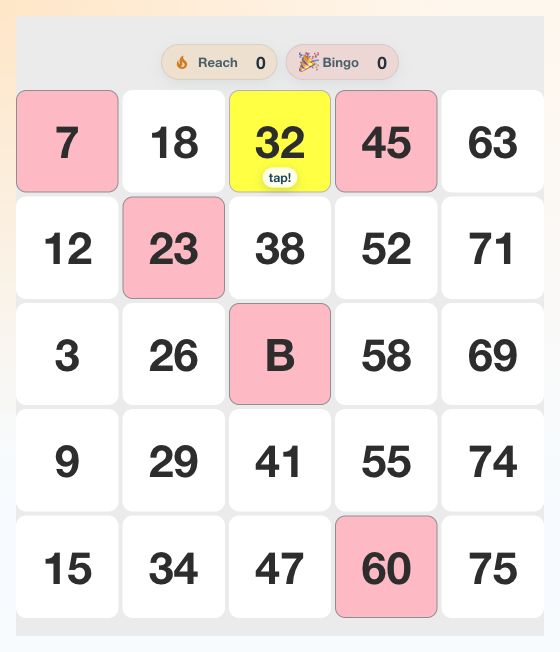
- A drawn number on your card flashes yellow with “tap!”. In this example it is 32.
- Tap the matching square to turn it pink, or click it on a computer.
- The center “B” is FREE. Check the reach/bingo indicators and follow your host’s instructions for claiming a win.
Use game messages
You can exchange messages in the game. Avoid posting private information or content that harms other people. Posting intervals and message counts are limited, so you may need to wait when the chat is busy.
Chat is unavailable in games with more than 1,000 participants. This is a chat restriction. If you cannot post, read the displayed message and check the progress of the draw with the host.
Return to the same card
Keep using the device and browser in which you joined. The resume list is associated with that browser's authentication state. Another browser or device may not identify you as the same player.
If the connection drops, first check the network and ask whether the host's game is still running. Clearing site data as a first troubleshooting step may lose your original participant state. Contact the host if the invitation is unavailable or you have left or been removed.